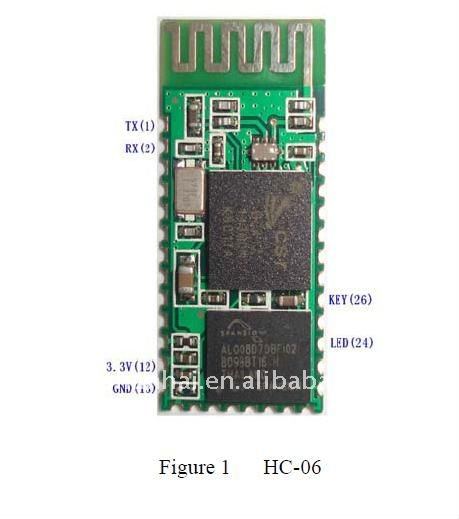
The HC-06 is a popular Bluetooth module that requires a 3.3 V supply internally and is commonly sold on a small adapter board with a voltage regulator, status LED and level-adaptation components for easier use with 5 V logic platforms such as Arduino.
This guide focuses on the HC-06 adapter-board version. It is a simple and inexpensive way to add Bluetooth serial communication to your own application.
Technical Specifications
| Supply voltage | 3.6 to 6 V on the adapter board |
|---|---|
| Current draw | 30 to 40 mA, about 10 mA when paired |
| Communication | UART, RX and TX lines |
| Supported baud rates | 1200 to 1382400 bps |
| Power | Class 2, about 4 dBm / 2.5 mW |
| Range | About 10 m |
| Configuration | AT commands |
| Operating mode | SLAVE only |
| Bluetooth specification | v2.0 + EDR |
Use Cases
The module is suitable when an Arduino-based or similar device needs to communicate with a mobile phone or PC. It cannot create a wireless bridge between two HC-06 modules because it supports only SLAVE mode. For Bluetooth-to-Bluetooth bridges, use a module that supports MASTER mode, such as HC-05.
Connecting the Module
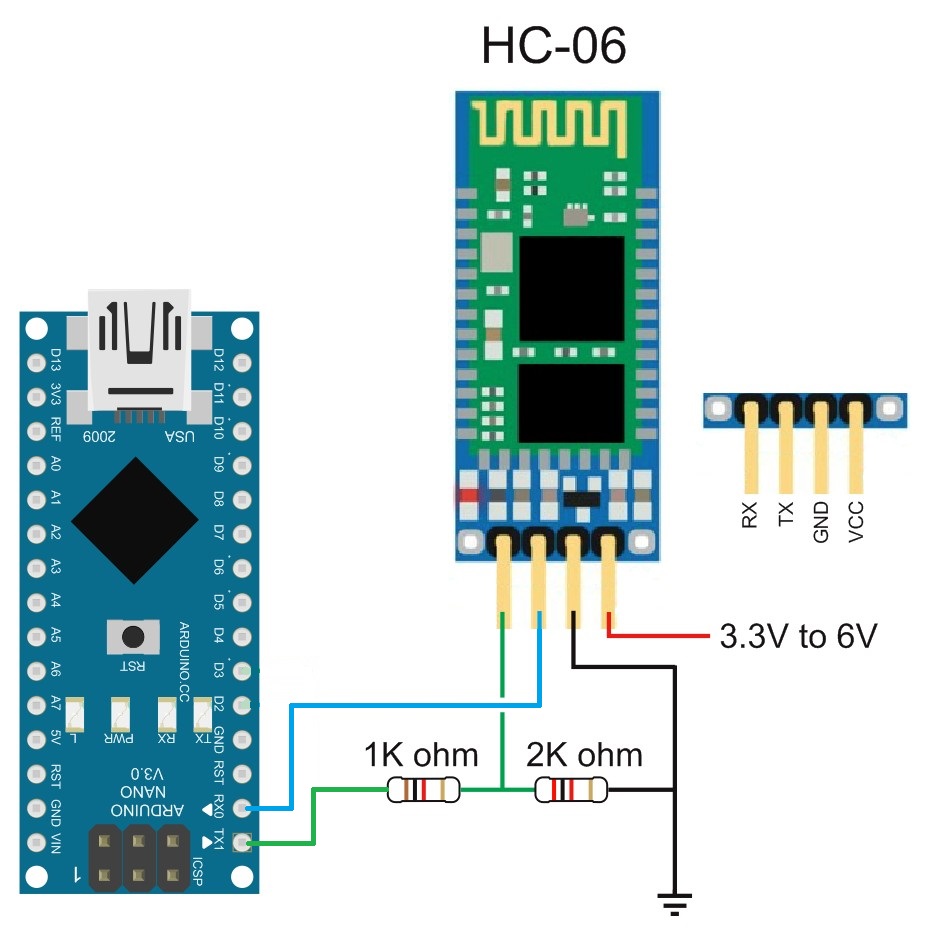
The module connects to any UART interface using crossed TX/RX lines: Arduino TX goes to module RX and Arduino RX goes to module TX. The resistor divider shown in the diagram is often not required, but it is recommended when using Arduino boards where the UART lines are shared with an onboard USB converter.
Configuration
The HC-06 is configured using AT commands. The usual default baud rate is 9600 bps and the default pairing PIN is 1234. Configuration is done only through the UART interface, so a USB/TTL converter is required.
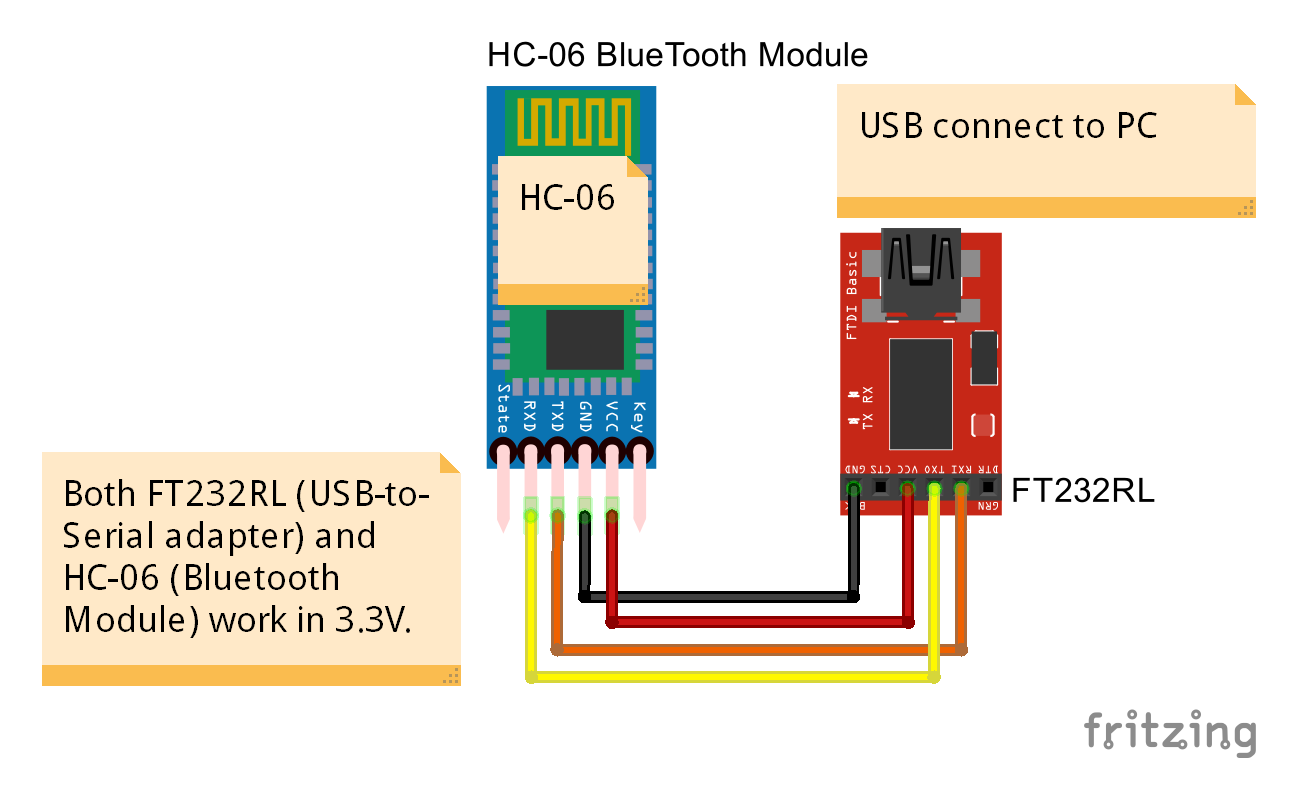
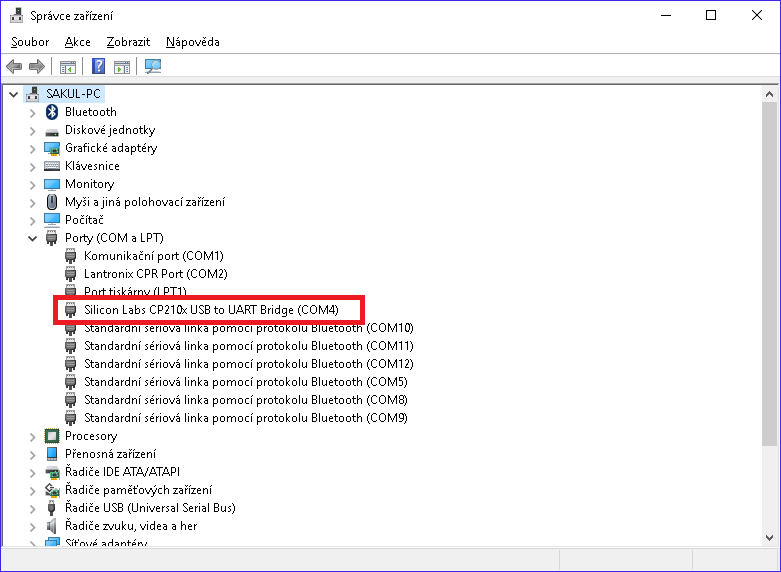
After connecting the converter to the PC, find the assigned COM port in Device Manager and open it in a serial terminal. For current use, Sakul Serial Terminal (SST) is a suitable tool.
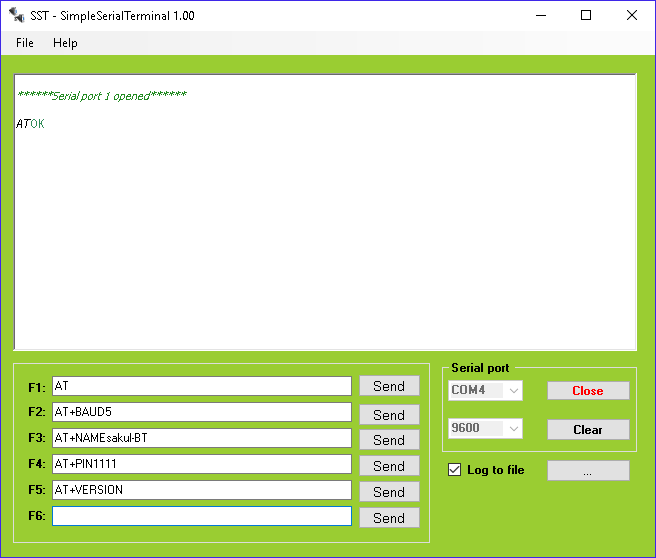
Set the baud rate to 9600 bps and send AT. The module should reply with OK. Unlike some other modules, HC-06 commands are sent without CR/LF line ending characters.
Important AT Commands
AT+BAUD sets the UART speed. Values range from AT+BAUD1 for 1200 bps to AT+BAUDC for 1382400 bps. After changing the speed, update the terminal baud rate as well.
AT+NAME sets the Bluetooth name, for example AT+NAMEsakul-BT.
AT+PIN sets the four-digit pairing PIN, for example AT+PIN1111. The default PIN is 1234.
AT+VERSION prints the firmware version. The sample module used linvorV1.8.
Conclusion
The HC-06 is mainly useful for connecting your application to a PC or mobile phone. The standalone module can be embedded directly into a device, but its supply voltage must not exceed 4 V and UART logic is 3.3 V. For experiments and prototypes, the adapter-board version is usually more convenient.
Documentation
A documentation package for the HC-06 module is available for download.